2019-07-18 08:17
ចង់ប្តូរការងារ ឬ កំពុងស្វែងរកការងារ ផ្វើសារឥឡូវនេះ
Answer 1

ទាក់ទងនឹងគន្លងរបស់ភពលោកឃីព្ល័របានរកឃើញថាគន្លងរបស់ភពទាំងអស់ធ្វើចលនាក្នុង គន្លងរាងអេលីបសូអ៊ីតជុំវិញព្រះអាទិត្យ ។
សំនួរឬអត្ថបទទាក់ទង
សំនួរផ្សេងទៀត
អត្ថបទណែនាំ
TS Traffic Rules Every Driver Should Know
ដោយ : ketki@zoop.energy 12 hours ago
Adhering to traffic rules in Telangana helps road users avoid penalties and stay safe on the road. Following the basi...
The 5-Minute Used-Car Check Most Buyers Forget
ដោយ : ketki@zoop.energy 1 day ago
When you buy a used car, you typically inspect the paintwork, tyres, engine performance, service book and take the ve...
Why Are Indian Carmakers Investing So Heavily in EVs, Hybrids and New Powertrains?
ដោយ : marketing@mymotor.in 1 day ago
India’s automotive industry is undergoing rapid change, with more digital ownership of vehicles than ever before. Fro...
Mobile App Penetration Testing
ដោយ : fringe963@gmail.com 1 day ago
A mobile app ships to the attacker's device. They control the operating system, the network path and the runtime, whi...
Indian Automotive Industry Is Expanding: What New Technology Means for Vehicle Owners
ដោយ : marketing@mymotor.in 3 days ago
India’s automotive industry is outgrowing the traditional petrol and diesel model. Manufacturers are diversifying int...
TS Challan Check Online: How to Check Telangana Traffic Fines
ដោយ : ketki@zoop.energy 5 days ago
Traffic enforcement in Telangana is increasingly more digital with automated and other systems detecting violations s...
Best Websites and Apps for Challan Check and Payment in India (2026)
ដោយ : marketing@mymotor.in 5 days ago
Challan checking has become an integral part of owning a vehicle in India as most traffic fines are issued automatica...
Vehicle RC, Challan, Insurance & PUC Check Online in India: The Complete 2026 Guide
ដោយ : ketki@zoop.energy 8 days ago
In short: A challan check verifies pending traffic fines against a vehicle's registration number. In India, this can ...
អត្តបទបន្ថែមទៀត
I am busy -- really busy. But sometime I wonder if what I am doing will make any difference in the long run. I'd really like to think there was meaning in my life, that somehow things were different because I was here.
ដោយ : ហុក ហេង 7 years ago
សំណួរ-ចម្លើយ មេរៀនទី៤ ផលិតផល (Product) (ភាគ២)
ដោយ : ទីផ្សារ 7 years ago
សំណួរ
សំណួរ-ចម្លើយ មេរៀនទី៤ ផលិតផល (Product) (ភាគ១)
តើខួរតូចស្ថិតនៅត្រង់ណា ? ហើយមានលក្ខណៈដូចម្តេច ?
ដោយ : Sak 7 years ago
ខួរតូចស្ថិតនៅផ្នែកខាងក្រោយក្រោមខួរធំ ។ លក្ខណៈរបស់ខួរតូច ចែកអឌ្ឍគោលខួរជា២ចំហៀង ស្រទាប់ខាងក្រៅរបស់ខួរតូចមានផ្នត់ជ្រៅៗជាច្រើនដែលកកើតពីសារធាតុពណ៌ប្រផះ ឯផ្នែកខាងក្នុងសារធាតុពណ៌ស ។
សង្គ្រាមត្រជាក់
ដោយ : Reurn 7 years ago
សង្គ្រាមត្រជាក់ឲ្យជាប្រភេទសង្ក្រាមធ្វើការប្រណាំងប្រជែងខាងផ្នែក គ្រឿង់សព្វាវុធទំនើបមនោគមន៍វិជ្ជា នយយោបាយ បច្ចេកវិទ្យា រវាងប្លុកកុំម្មុយនីស ( សហភាពសូវៀត ) និងប្លុកសេរី (សហរដ្ឋអាមេរិច ) ដែលជាអ្នកបង្ក ។ ចំណុចចាប់ផ្តើម នៃសង្រ្គាមត្រជាក់គឺចាប់ផ្តើមចេញពីប្រទេសអាឡឺម៉ង់ពេលដែលប្រទេសនេះស្ថិតនៅសព្វមុខពីគ្នានៃមន
នៅក្នុងសម័យបារាំងស្តេចសោយរាជ្យមានចំនួន៤អង្គ
ដោយ : Yenkimloang 7 years ago
សំណួរ-ចម្លើយ មេរៀនទី២ ឥរិយាបថអ្នកប្រើប្រាស់ (ភាគ២)
សំណួរ-ចម្លើយ មេរៀនទី២ ឥរិយាបថអ្នកប្រើប្រាស់ (ភាគ១)
មូលហេតុដែលធ្វើឲ្យអាឡឺម៉ង់បង្រួបបង្រួមគ្នាឡេីងវិញ
-ប្រទេសសូវៀតដួលរលំអាឡឺម៉ងខាងកេីតគ្មានជំនួយពីសូវៀតបន្តទៀត
ប្រវត្តិវិទ្យា
ដោយ : Somsokla 7 years ago
អត្ថបទថ្មីៗទាក់ទងបទពិសោធន៍ផ្សេងៗ
I recently received an SMS saying I have a pending traffic challan. How can I tell if it is genuine or fake?
ដោយ : ketki@zoop.energy 3 days ago
I recently got a message saying my car had an unpaid traffic challan and telling me to make an online payment. As fake challan messages can seem very realistic I would not click the link and pay online.
អនុមោទនាថ្ងៃសីល
ដោយ : សេក្ខមាណព 3 months ago
ដោយ : Google Account 4 months ago
ម៉ាស៊ីនបោះពុម្ព Print អត់ចេញក្រដាស - Can’t print: Troubleshooting steps
ដោយ : Pich Yorn 5 months ago
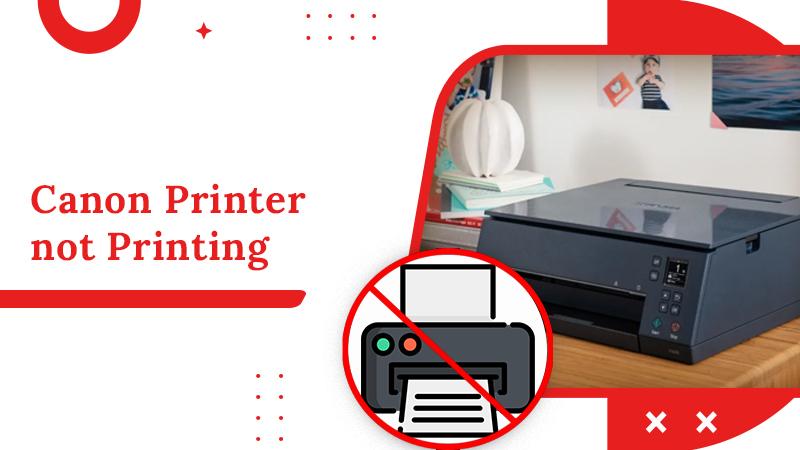
1. ពិនិត្យការតភ្ជាប់អ៊ីនធឺណិត ហើយ សាក Ping ទៅ IP Address របស់ម៉ាស៊ីន Print 2. ពិនិត្យការតភ្ជាប់បណ្តាញ(internet របស់ printer )នៅលើម៉ាស៊ីនបោះពុម្ព 3. ពិនិត្យថាប្រាកដមានដាក់ក្រដាសនៅក្នុងម៉ាស៊ីនហើយ (បើក្រដាសអស់ឬតិច ត្រូវបញ្ចូលក្រដាសបន្ថែម) 4. ពិនិត្យកម្រិតទឹកថ្នាំ/ទឹកម្សៅ (បើតិច នឹងមានការជូនដំណឹងលើអេក្រ
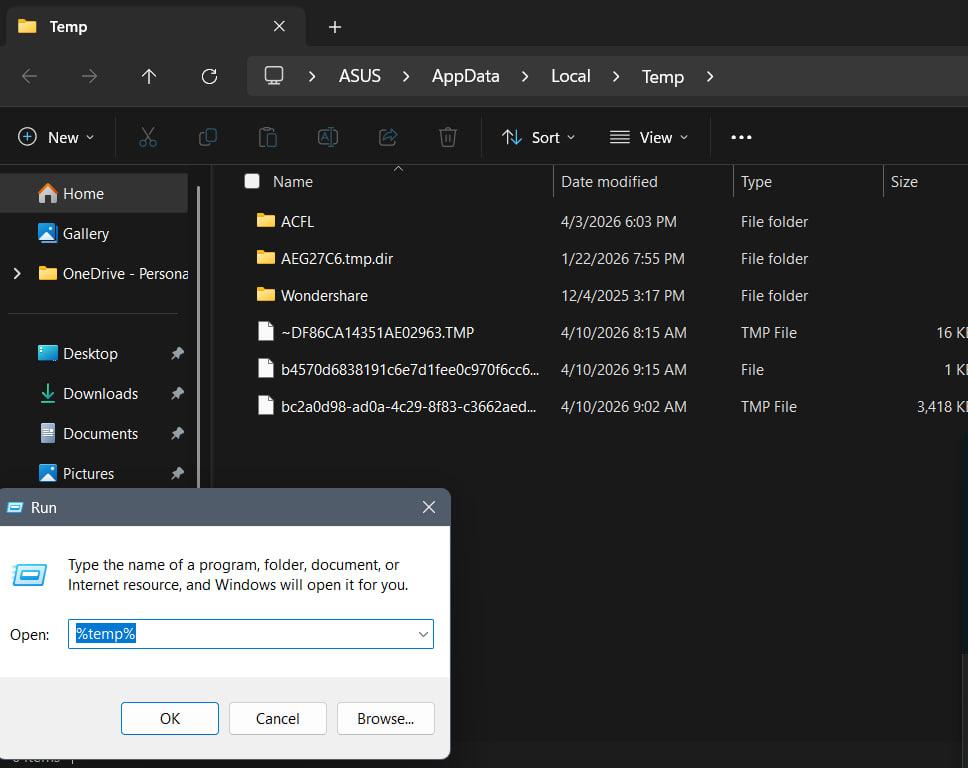
របៀបសំអាត file មិនសំខាន់ៗនៅក្នុង computer - Clean computer temp
step 1: click Key Window + R => type %temp% => click Enter => Ctrl+A (setect all) => Delete => click ✅Do this for all current items => click continue or skip step 2: next type : temp Prefetch Note step 2 ធ្វើដូច step1 ដែរ
KhSearch Telegram Channel
Tips to earn more points:
Cancel Login
Tips for posting article:
Tips for posting experience:
There are many questions waiting your answers:
Login Register
Register Login
Please login to share your idea